CLUI
** CLUI — Command Line User Interface ** : a unified environment for managing multiple terminal sessions and essential utilities without constantly switching between applications.
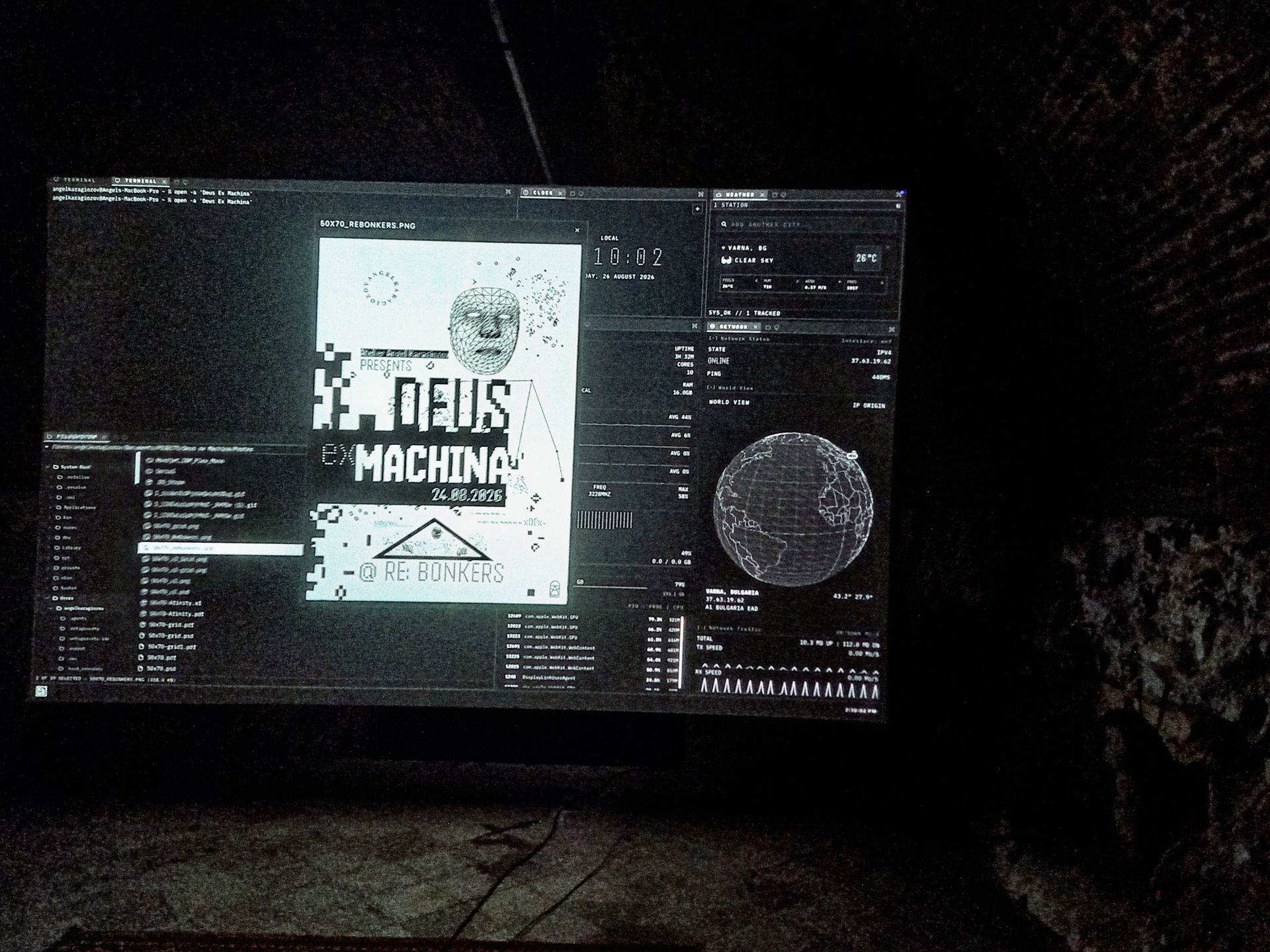
With tools such as Claude Code, Gemini CLI, Codex CLI, OpenCode, etc. becoming part of my everyday workflow, the terminal has become a central workspace. AI assistants like Clawdbot and the many API services accessible from the command line have further motivated me to rethink how that workspace is organised That led me to create CLUI -”Command Line User Interface”. The idea is straightforward: keep a clear overview of all active sessions, focus on a single terminal when needed, and organise the workspace across multiple monitors. Essential widgets bring the tools I need into the same interface without clutter. They include hardware monitoring, file-system access, and other lightweight utilities.
Under the hood
CLUI is built with TypeScript, for terminal emulation, it uses ‘xterm.js’, the same component that powers Visual Studio Code's integrated terminal. The layout is built on [FlexLayout], a docking layout manager for React. It supports resizable and draggable tabsets, maximizing a single tabset, and popping tabs out into separate windows, which is useful for multi-monitor setups. Together with Flexbox principles, which distribute space along an axis in proportion to each element's flex value, this makes it possible to build a flexible and predictable workspace.
CLUI was also designed as the hosting software for my project ‘Deus ex Machina’. It inherits that project's typography, interface-element preferences, and overall design language. Because I developed the two projects in parallel, the connection between them became natural, almost familial, and CLUI feels native to the DEUS ex MACHINA environment.
** Multiple terminals. One workspace. Fewer distractions. **